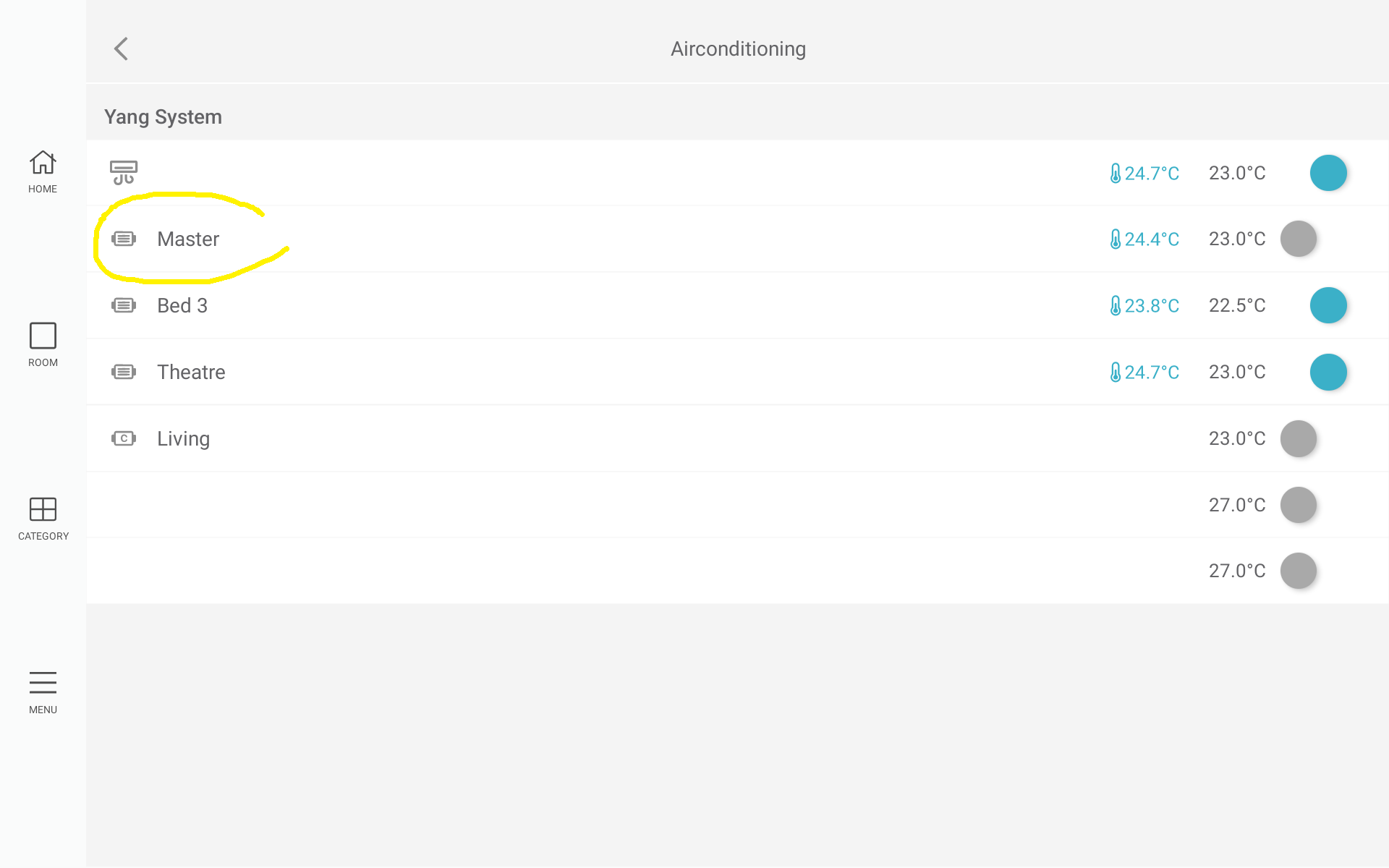
Zone grouping
Overview
This function allows an installer to group multiple physical zone ports on a CPU Module (C225) so they appear as a single zone on the Nova interface. For example, zone ports 1 and 2 can be grouped and displayed as Living Room on the screen. This is typically used when a room has multiple duct entry points. Installers can group any number of zone ports into a single displayed zone and multiple zone groups can also be created within the same system.
Minimum firmware versions
The minimum firmware versions required to use this function:
- C225 v3.80
- COCBH v4.36
- Nova v1.21
User guide
From the Nova interface:
-
Enter installer code:
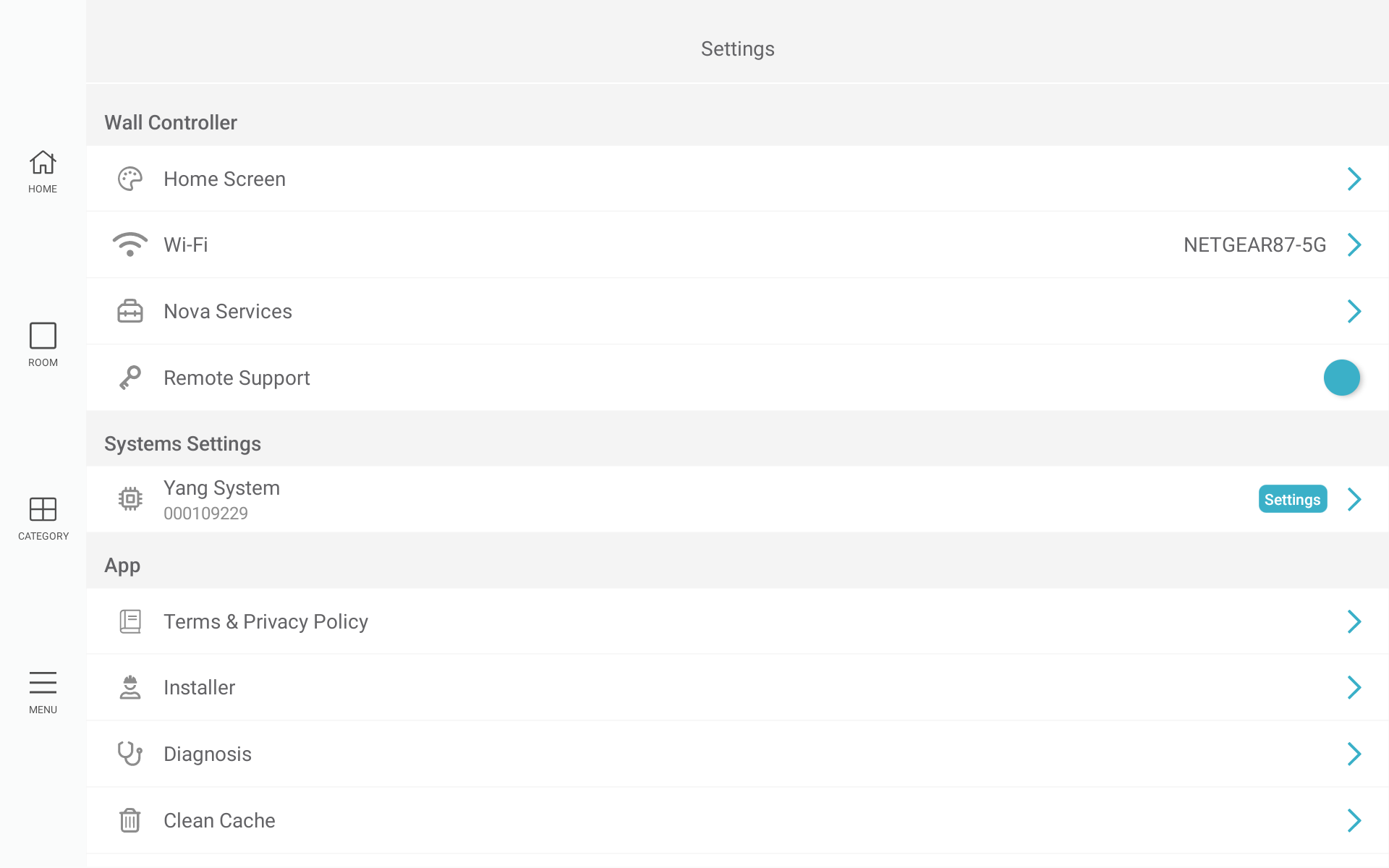
- Select MENU → Settings
- Select Installer under the App header, enter installer code and tap SUBMIT
-
Navigate to Zone Groups
- Select MENU → Settings
- Select the system under the System Settings header (Yang System in this screen shot)
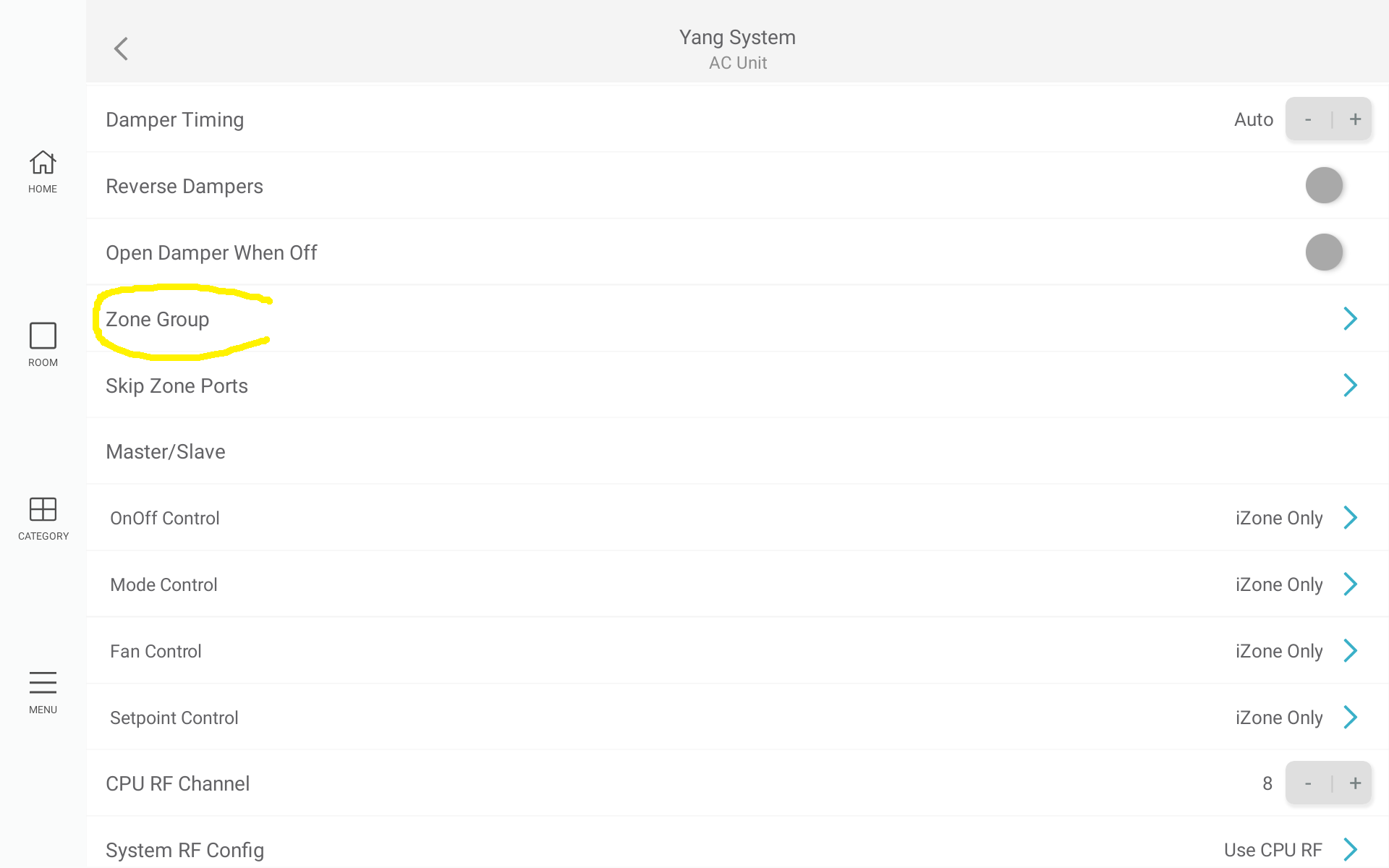
- Select AC Unit settings
- Scroll down to Advanced settings
- Scroll down and tap on Zone group
-
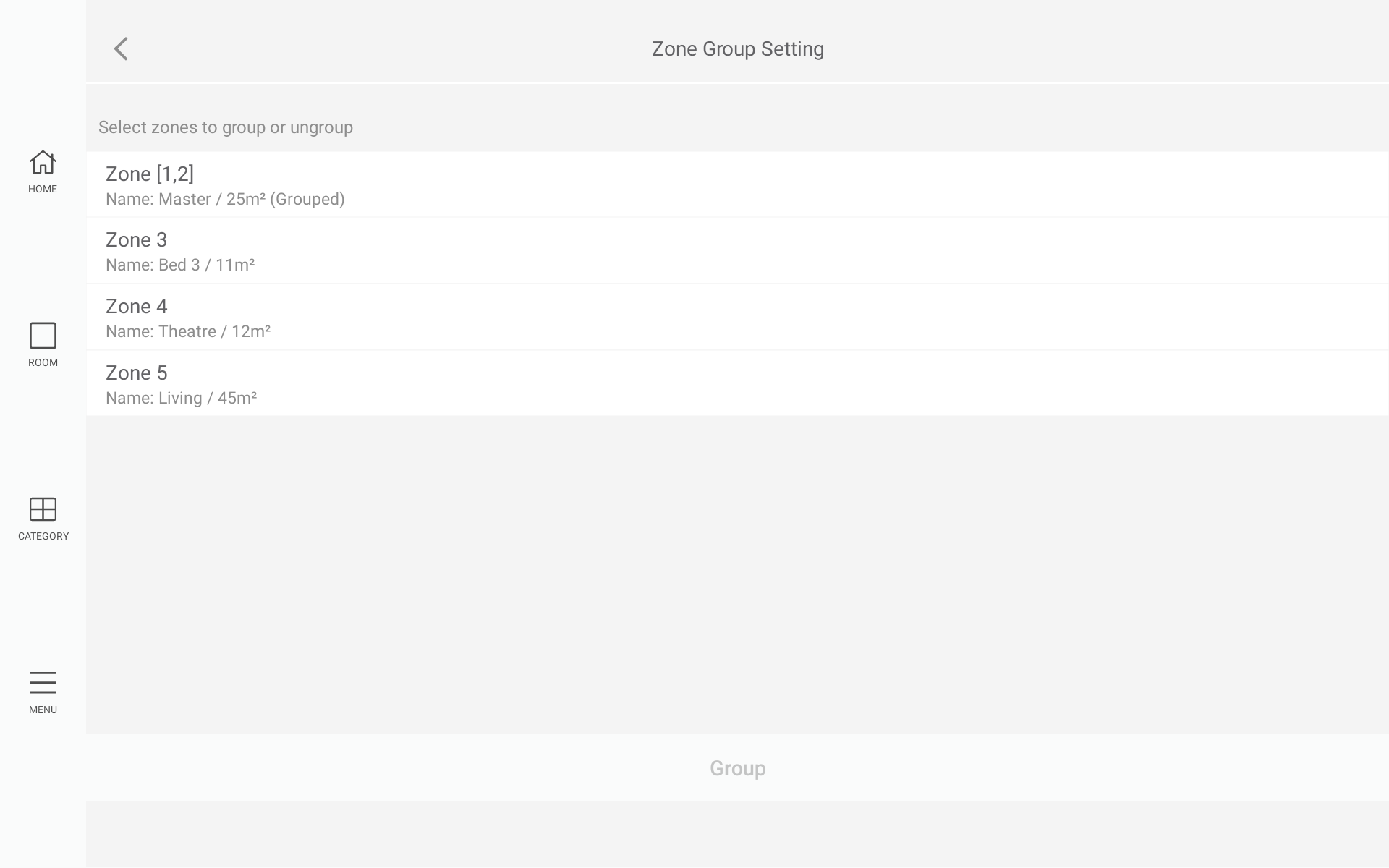
Select the zones that must be grouped and tap on the Group button
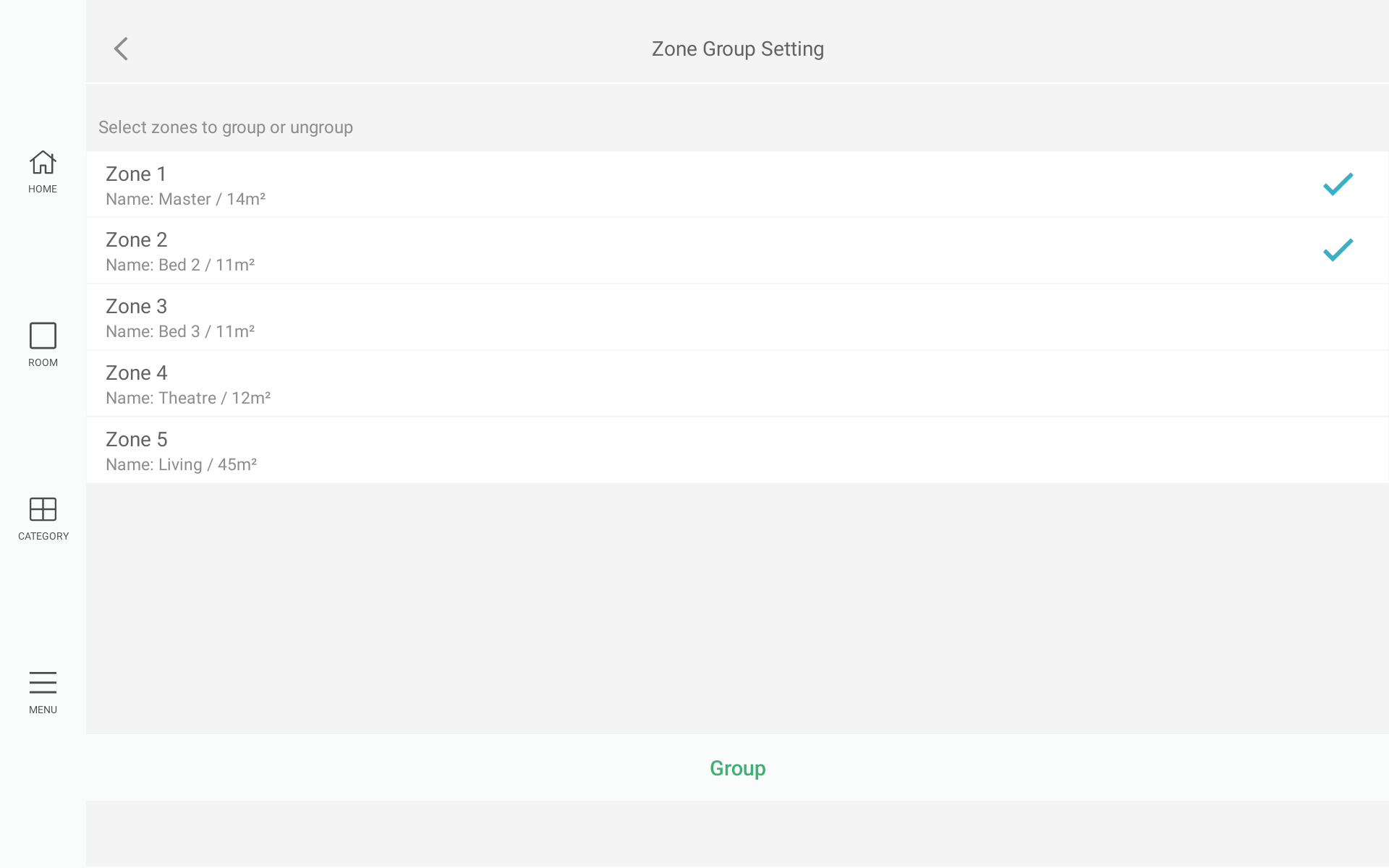
-
The selected zones will now be grouped
-
Select CATEGORY → Airconditioning