Hub Link Cable
Part number: CGB2C35
Overview
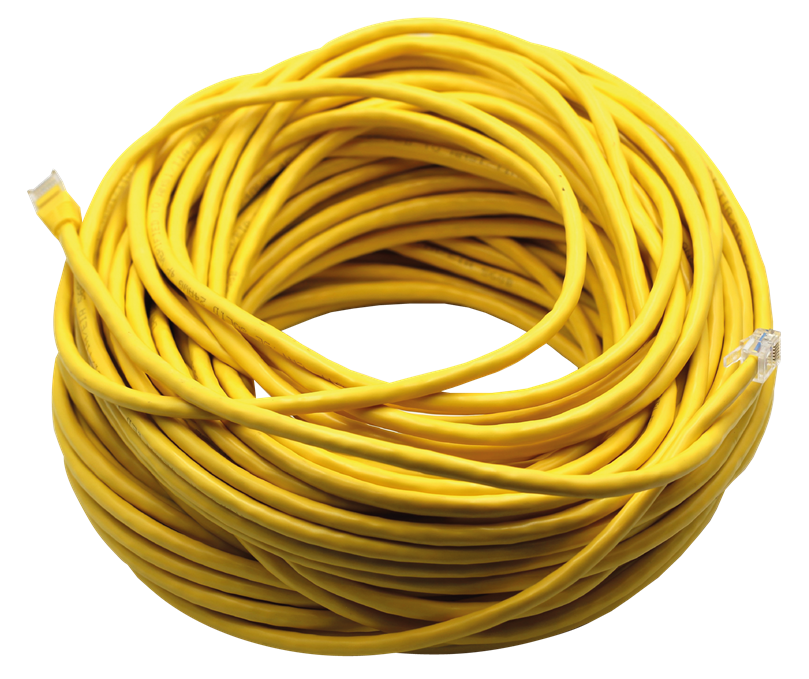
This 35m cable provides a hardwired connection between the CPU Module (C225) and the Smart Hub (COCBH). It is recommended when the distance between the COCBH and C225 is too great, when there is significant RF interference, or whenever there is concern that the 433MHz RF link may not be stable. In these situations, using this cable ensures a reliable, interference free connection between the two devices.
Installation Guides
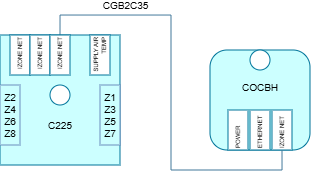
Connect the RJ45 connector of the cable to the CPU Module (C225) and connect the RJ12 of the connector to the Smart Hub (COCBH).
User Guides
Make sure that the Snowflake LED ❆ on the Smart Hub is illuminated, this means that the Smart Hub is paired with the CPU Module (C225). Refer to Pair a Smart Hub if not paired.
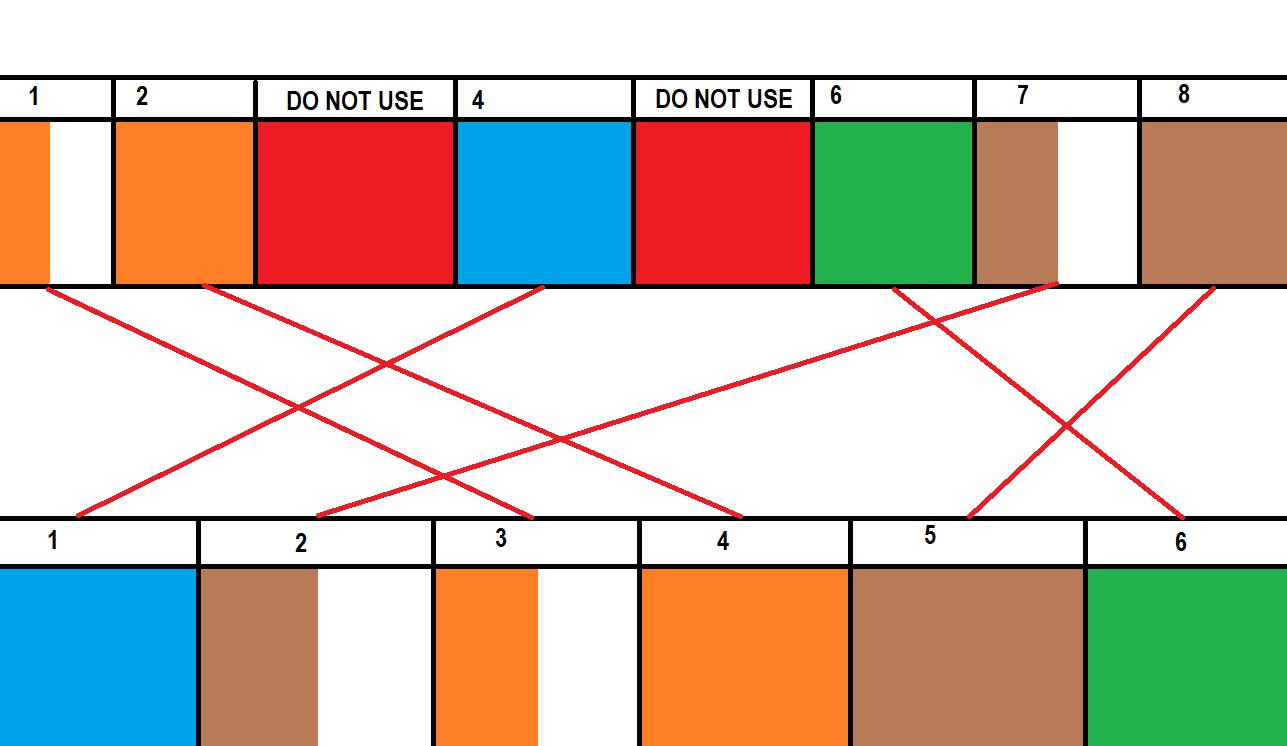
Pin outs of the cable connectors shown below.
Troubleshooting
No known issues.
Specifications
| Specifiation | Description |
|---|---|
| Connectors | RJ45 on one side and RJ12 on the other side |
| Cable length | 35m |
Firmware and Updates
No firmware information