Compatible Zone Motor Brands
Compatible Brands
Please note: All zone motor brands on a single system must be unified across all zones to ensure consistent drive timing. Using a mix of different zone motor brands or models may result in operational failures and damper errors due to different timing and RPM. The C155 and C156 modules do not support motors that rely on timing logic. As a result, Belimo-type motors are not compatible with the C155 or C156.
- iZone
- Belimo
- Advantage Air
- Siemens
- Polyaire
- CAS (Complete Air Supply)
- RZM (Red Zone Motors)
Zone Motor Specifications
| Zone motor brand | Volts | Hz | Timing (sec) | RPM (if measured) | Compatible with iZone |
|---|---|---|---|---|---|
| Belimo | 24 VAC/DC | 50/60 Hz | 45 | Yes | |
| ZoneBoss | 24 V | 50/60 Hz | 15 | 1 | Yes |
| Siemens | AC 24 V +/-15% | 50/60 Hz | 19 | Yes | |
| Westaflex | AC 24 V | 50 Hz | 15 | 1 | Yes |
| PolyAir | 24 V | 50 Hz | 15 | 1 | Yes |
| MZD Laxo | 24 V | 50 Hz | 15 | 1 | Yes |
Please check the damper timing and verify the wiring diagram for the RJ11 or RJ12 connections, including the OPEN and CLOSE points and motor speed, before integrating the system with iZone.
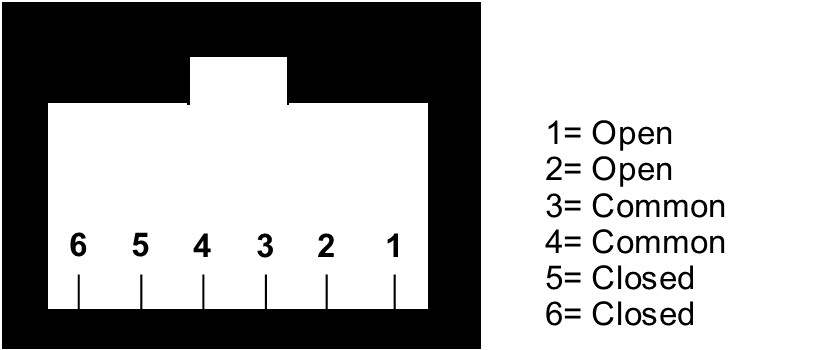
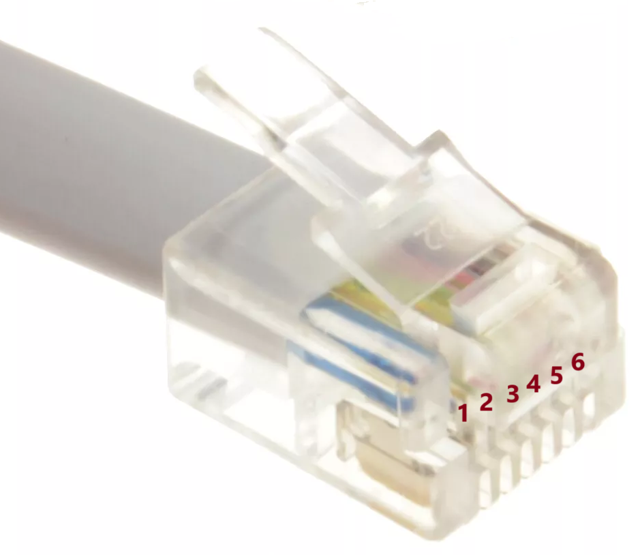
RJ12 Connector
Earlier models may be fitted with an RJ11 connector.
The pinout for the RJ12 connector is shown below:
Actron Zone Motors
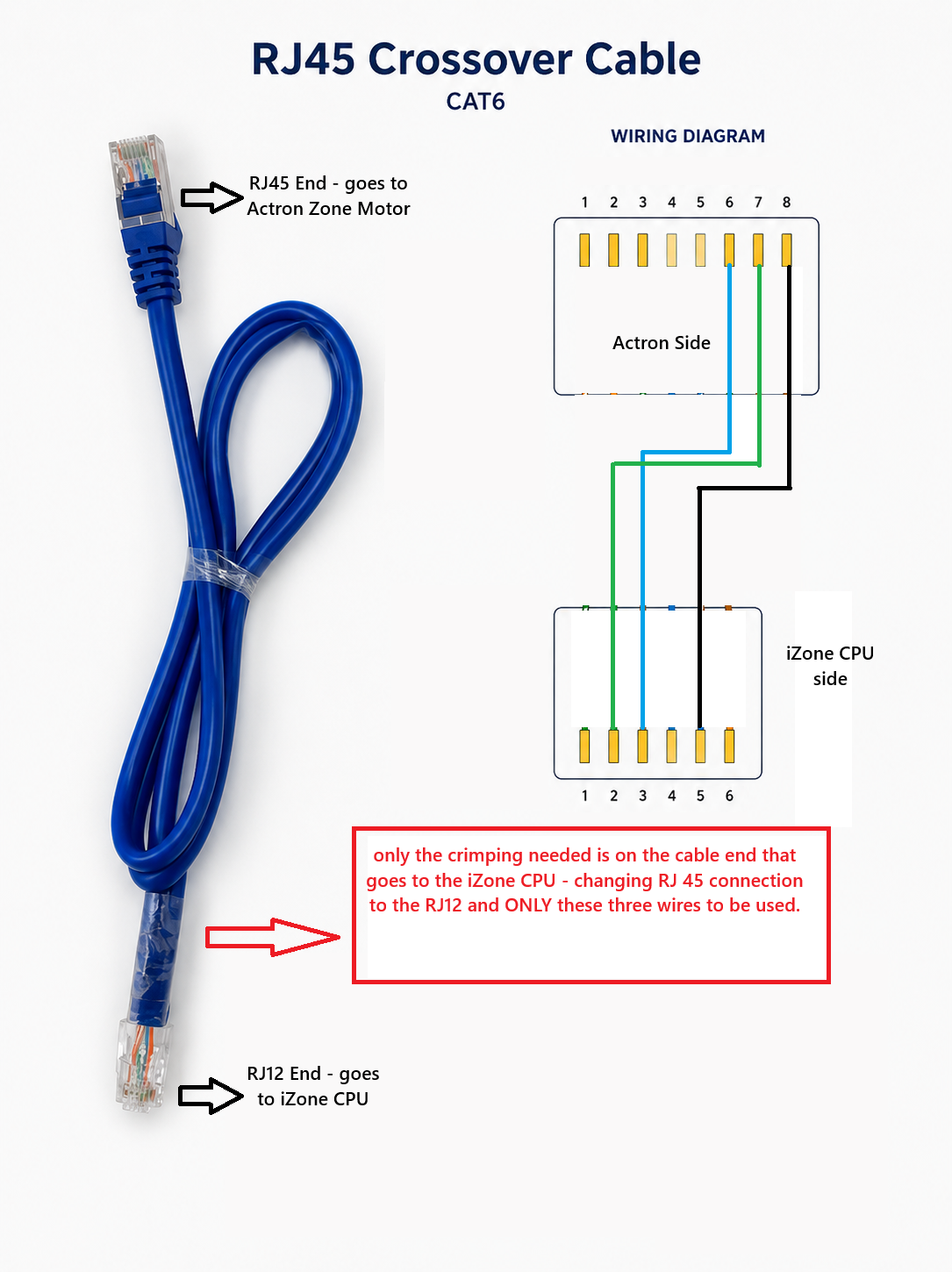
Existing Actron zone motors can be used with the iZone CPU, but a wiring change is required to make the connection compatible. The zone motor end of the cable is left unchanged. On the iZone CPU end, the RJ45 plug must be re-crimped as an RJ12 plug, using only the three cores listed below — all other RJ12 pins are left empty and unused.
| CAT6 (RJ45) Actron zone motor side | RJ12 CPU side (crimp needed) |
|---|---|
| 8 | 5 |
| 7 | 2 |
| 6 | 3 |